iPhone 14 Series Only Apple logo Error 4013 Fix: iPhone 14 Pro Max,14 Pro, and 14
iPhone 14 Series Error 4013 Fix 2024 best methods.
The iPhone 14 Series (iPhone 14 Pro Max,14 Pro, and 14) has created quite a buzz among tech enthusiasts, and rightfully so. The sleek design, advanced features, and the iconic Apple logo make these devices stand out in the crowded smartphone market. However, some users have encountered a frustrating hurdle in the form of Error 4013 during updates.
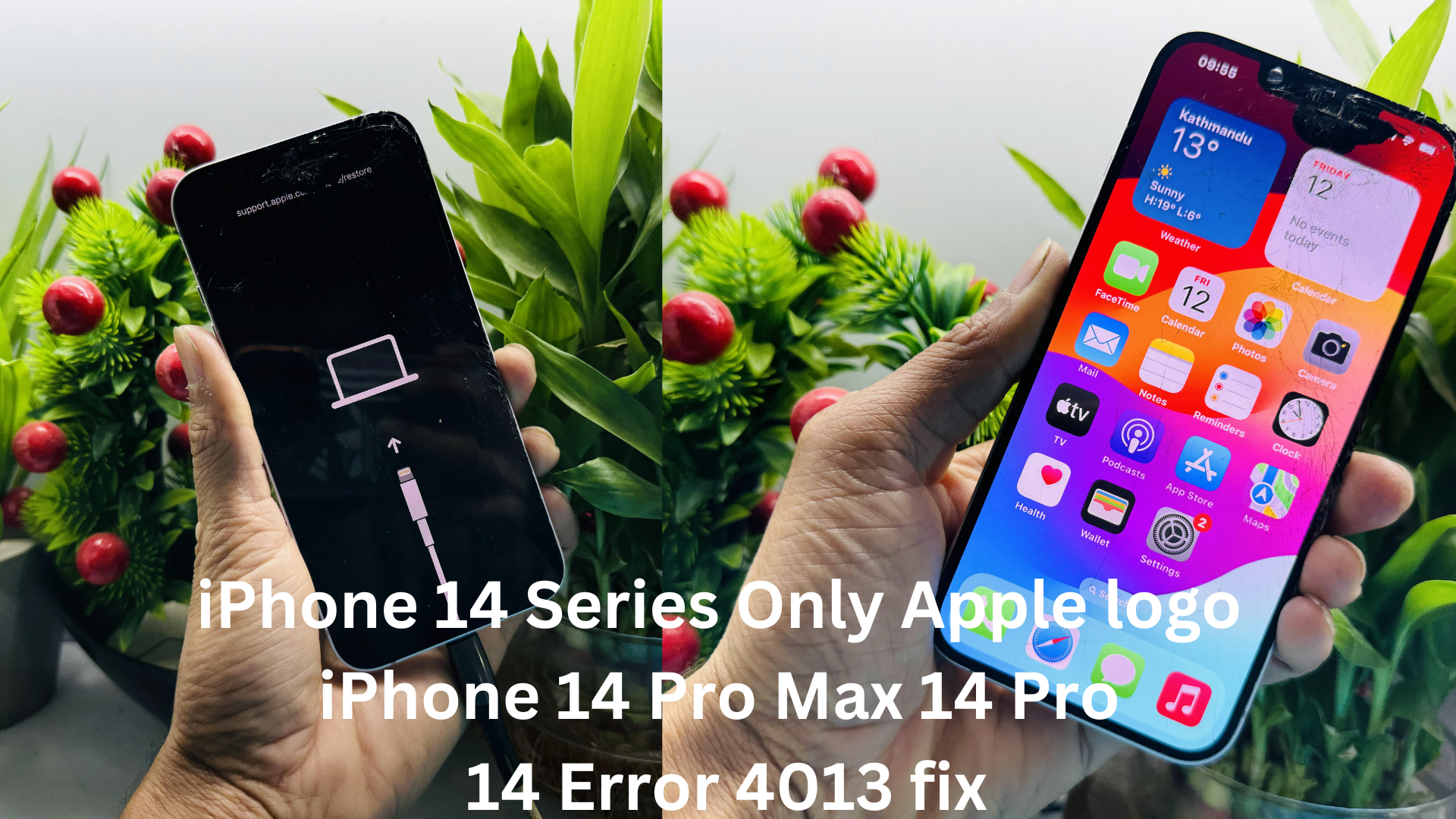
Understanding Error 4013
What is Error 4013?
Error 4013 is a common issue faced by iPhone 14 Pro Max, iPhone 14 Pro, and iPhone 14 users during software updates. It is characterized by a message indicating a connection issue between the device and iTunes.
Causes and Common Scenarios
Several factors contribute to Error 4013, including faulty USB connections, outdated iTunes, and software glitches. Users often encounter this error when attempting to update their devices or restore them.
Impact on iPhone 14 Series
iPhone 14 Series Error 4013 can disrupt the normal functioning of the iPhone 14 Series, leading to potential data loss and inconvenience. Addressing the issue promptly is crucial for maintaining a seamless user experience.
Diagnosing the Issue
Identifying Specific Error Messages
Users should pay attention to the error messages displayed, helping in pinpointing the root cause. Common messages associated with Error 4013 include “The iPhone could not be restored” or “An unknown error occurred (4013).”
Troubleshooting Steps
Simple troubleshooting steps involve checking USB and cable connections, ensuring the latest iTunes version, and performing a hard reset. Diagnosing the issue correctly is the first step towards a solution.
Importance of Prompt Diagnosis
iPhone 14 Series Addressing Error 4013 promptly is essential to prevent further complications and potential hardware damage. Users are encouraged to take immediate action upon encountering this error.
DIY Fixes for Error 4013
Checking USB and Cable Connections
Often overlooked, ensuring proper USB and cable connections is a simple yet effective fix for Error 4013. Users should inspect cables for damage and ensure a stable connection.
Updating iTunes to the Latest Version
Keeping iTunes up-to-date is crucial. Users should download and install the latest version of iTunes to ensure compatibility with iPhone 14 Series updates.
Performing a Hard Reset on iPhone 14 Series
A hard reset can address software glitches causing Error 4013. This involves specific button combinations to force a restart and resolve potential issues.
Advanced Solutions
Using DFU (Device Firmware Update) Mode
For persistent issues, users can utilize DFU mode to perform a more comprehensive update or restore, bypassing potential software obstacles.
Checking for Hardware Issues
In some cases, Error 4013 may be linked to hardware problems. Users should consider professional assistance if software fixes prove ineffective.
Seeking Professional Assistance
For complex cases, seeking help from Apple Support or authorized service centers is recommended. Trained technicians can diagnose and resolve issues efficiently.
Preventive Measures
Regular Software Updates and Backups
Staying current with software updates and regularly backing up data can prevent software-related issues, including Error 4013.
Best Practices for Minimizing Risk
Users can adopt best practices, such as using genuine accessories and avoiding interrupted updates, to minimize the risk of encountering Error 4013.
Apple’s Official Recommendations
Following Apple’s official guidelines for maintaining iPhone 14 devices ensures optimal performance and minimizes the likelihood of encountering errors.
Real-World User Experiences
Sharing Anecdotes
Many users have shared their experiences with Error 4013 on community forums. Learning from real-world scenarios can provide insights into effective solutions.
Community Forums and Discussions
Engaging in discussions on platforms like Reddit or Apple’s official community forums can offer a sense of solidarity and valuable advice from fellow users.
Learning from Others’ Experiences
Understanding how others have faced and resolved Error 4013 can empower users to take proactive measures and avoid potential pitfalls.
The Role of Apple Support
Contacting Apple Support
Users experiencing persistent issues should not hesitate to contact Apple Support for personalized assistance. Apple’s support team is equipped to guide users through troubleshooting steps.
Exploring Online Resources
Apple provides comprehensive online resources, including guides and FAQs, to assist users in resolving common software issues independently.
Apple’s Commitment to Customer Satisfaction
Apple remains committed to ensuring customer satisfaction, and its support infrastructure reflects this commitment to addressing user concerns promptly.
Staying Informed about Future Updates
Apple’s Commitment to Addressing Software Issues
Apple continuously strives to improve its products through software updates. Users are encouraged to stay informed about upcoming updates addressing known issues.
Subscribing to Official Channels
To receive timely information about updates and maintenance tips, users can subscribe to official Apple channels, including newsletters and social media accounts.
Being Proactive in Keeping iPhone 14 Series Up-to-Date
Proactivity is key to maintaining a smooth user experience. Regularly checking for updates and implementing recommended practices helps in preventing issues like Error 4013.
Read More: How to Turn Off Find My iPhone 14 Series
Conclusion
In conclusion, addressing Error 4013 on the iPhone 14 Series is crucial for a seamless user experience. By understanding the causes, diagnosing the issue, and implementing DIY fixes or seeking professional assistance when needed, users can navigate through potential hurdles and enjoy the full capabilities of their devices.
FAQs
- What should I do if I encounter Error 4013 during an iPhone 14 Series update?
- Follow the troubleshooting steps outlined in this article. If the issue persists, contact Apple Support.
- Can using non-genuine accessories lead to Error 4013?
- Yes, using non-genuine accessories may cause connection issues and contribute to Error 4013. Stick to Apple-certified accessories.
- How often should I perform software updates on my iPhone 14?
- Regularly check for software updates, and install them as soon as they become available to ensure optimal performance.
- Is Error 4013 covered under Apple’s warranty?
- It depends on the specific circumstances. Contact Apple Support for assistance and information on warranty coverage.
- What is the significance of the Apple logo on iPhone 14 devices?
- The Apple logo represents the brand’s commitment to quality and innovation. It holds aesthetic and symbolic value for Apple users.